Showing posts with label apps. Show all posts

16 December 2015

0 "App"lifying US Symbols

2nd graders researched one of the following US Symbols and created projects from their research.
  • US Flag
  • Statue of Liberty
  • Liberty Bell
  • Bald Eagle
  • White House
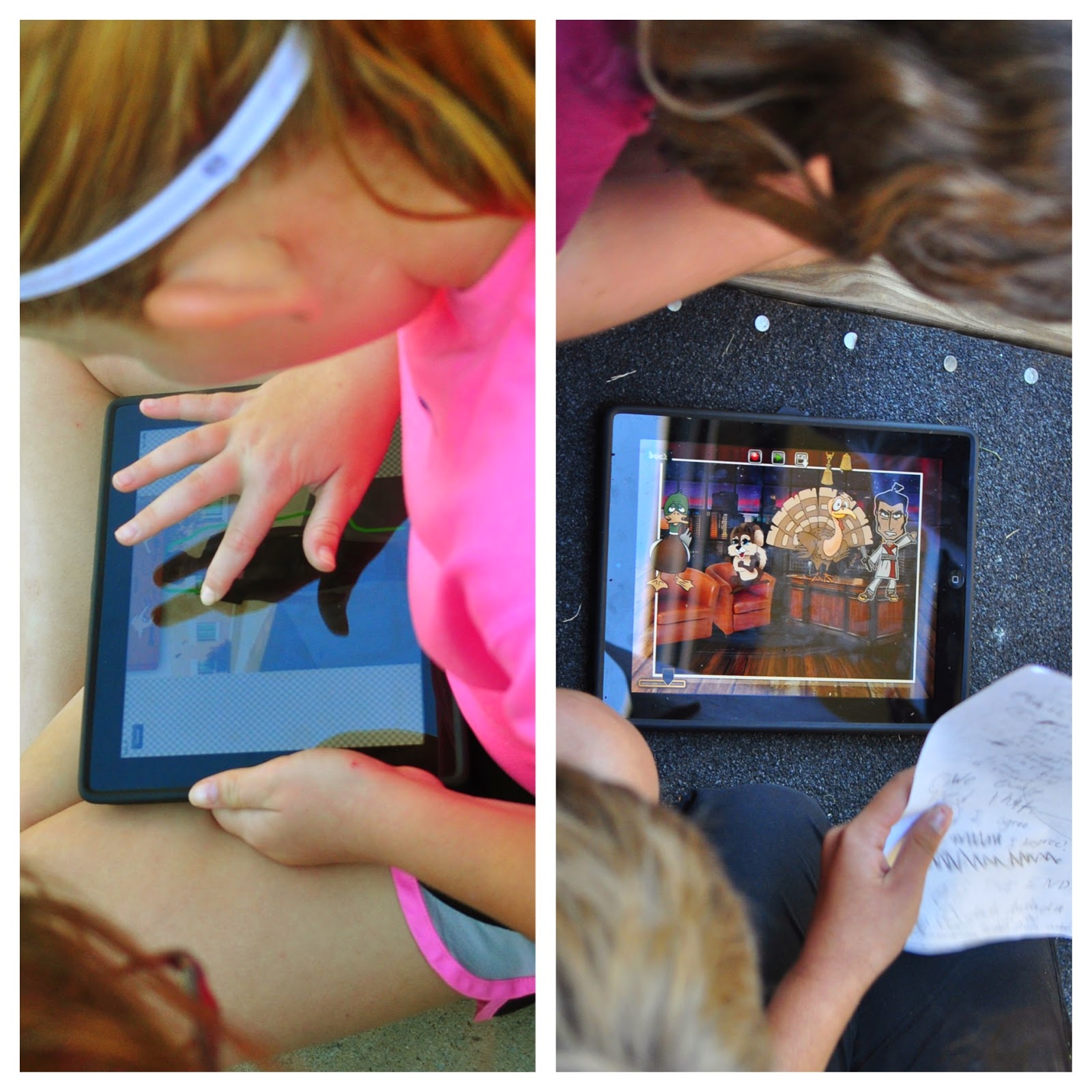
Two classes chose to app smash with Wordfoto and Tellagami, while the other classes utilized the TypeDrawing  app (paid). Below are a examples of their finished projects.

Wordfotos: Link to FlipBook:


Tellagami / App Smashing:


TypeDrawing:

15 January 2015

1 Selfies, Persuasive Writing and PicCollage - That'll Work!

4th grade students at one of my schools wrote a persuasive blurb about one of their favorite books they read this year. Utilizing the app PicCollage, students took "selfies" of their chosen book. Once printed, the bookmarks will be given to our school library available for all students to not only use as a bookmark but also persuading them to try a new book!


19 November 2014

0 PicCollage App as a Formative Assessment? You Betcha'!

3rd grade teachers utilized the app, PicCollage, as a formative
Pre-Assessment on Text Features
assessment on the topic of Text Features. For the pre-assessment, students took photos and labeled 6 forms of text features (caption, subtitle, glossary, index, diagrams, keywords) using the app, PicCollage. The pre-assessments were upload to Dropbox to view and the teachers used these to guide/adapt/modify their instructional teaching according to the student's learning needs and styles.

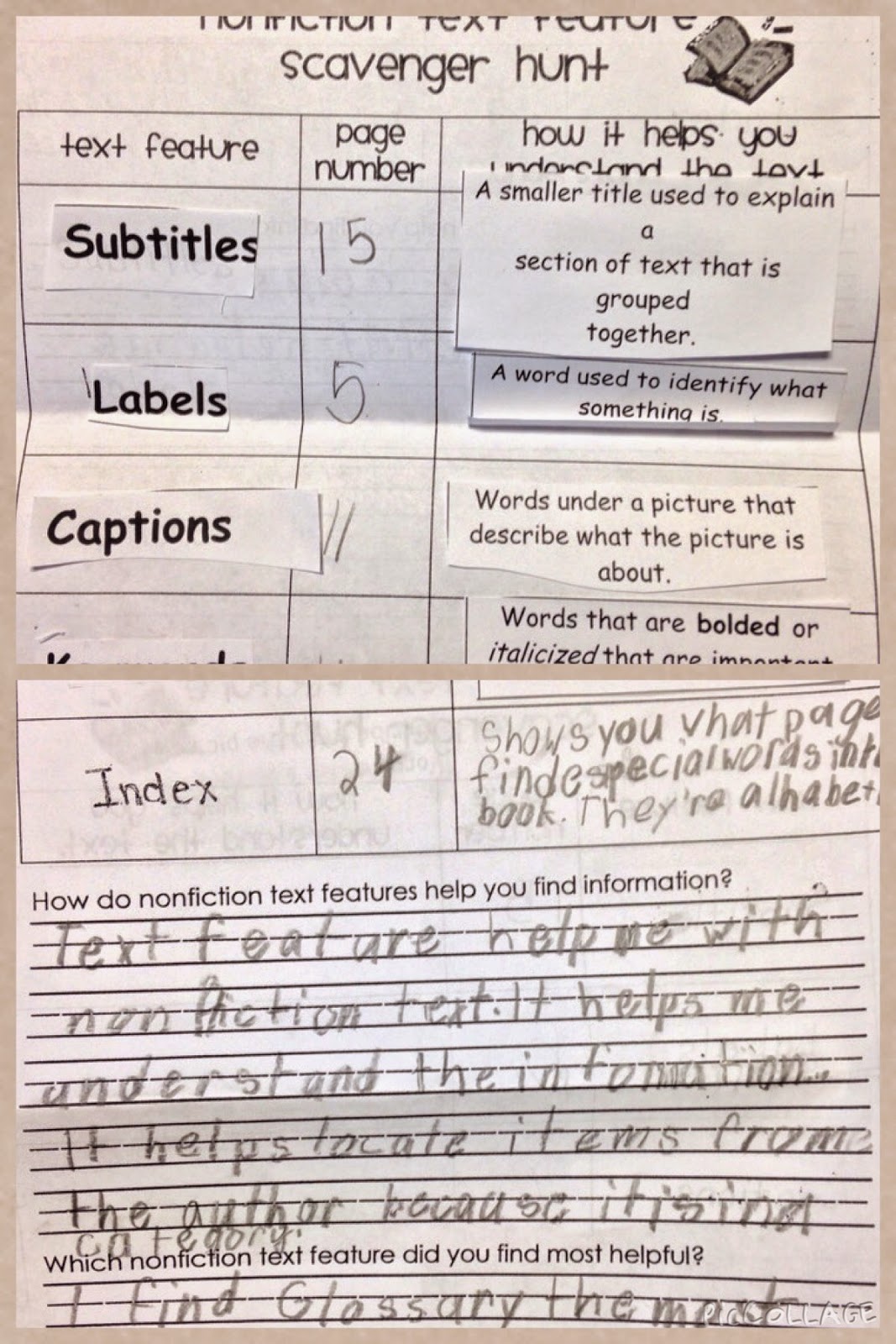
Throughout the length of the lesson, the teachers presented information/strategies to help their students learn the material through cooperative small groups. Each group had a nonfiction text with all six text feature represented. In conjunction with the active engagement sheet - (see photo below) - each student matched the text feature term with the definition and then cooperatively located the text feature in a nonfiction book.

Active Engagement Group Sheet
The teachers checked for understanding and provided immediately feedback/reteach allowing the students to attempt again. At the closing of the lesson, students gathered together to discuss the importance of text features and which helped them the most and why.

For the final formative assessment, students will recreated another PicCollage showing their knowledge/understanding of text features.


23 October 2014

1 PuppetPals: 5th Grade / Learned Behaviors and Inherited Traits

Working collaboratively, 5th grade students created PuppetPals depicting their understanding of learned behaviors and inherited traits.

Requirements of the Project: Students had to write a script/storyboard the following questions as well as provide examples of learned behaviors and inherited traits.
  • What is the difference between inherited & acquired trait?
  • What is the difference between instinctive & learned behavior?

The finished projects where downloaded to the app, Book Creator and then uploaded to YouTube. Below is an example of the finished project.

17 October 2014

2 Texas Regions: 4th Lifecards App Project

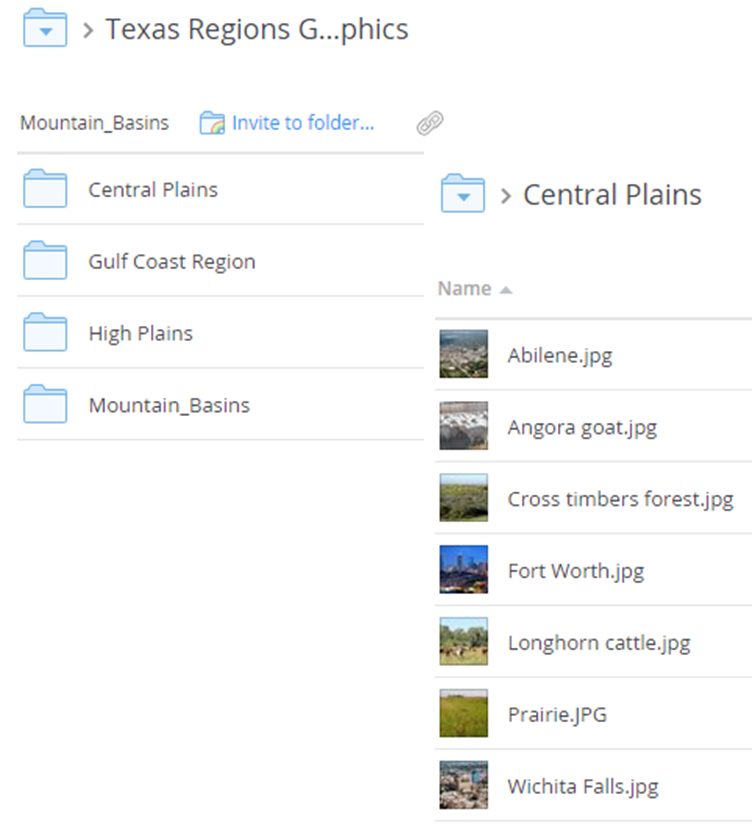
4th grade students created Texas Region postcards utilizing the app, Lifecards. Students were assigned a specific region and researched information for the project. Photos for each Texas Region were uploaded to Dropbox for students to download to the idevice.

The finished products were made into an interactive flip book (via FlipSnack - viewed best in IE) and showcased on the grade level website.

Below is an example of a finished product:


12 December 2013

0 Creative Classrooms (Mobile Apps) - Lesson Submission

This post is in regards to an online class (Massive Online Open Course (MOOC) in which I am participating in on the topic of Apps/Mobile Learning. This is the last assignment that I am required to submit:

Creative Classrooms (Mobile Apps) - Lesson Submission

Lesson Title: Seasons (Grade 1)   
Subject Area: Science
Mobile platform used: iOS

TEKS Addressed in the Lesson:

TEKS:
  • Science: (1.8) Eath and space. The student knows that the natural world includes the air around us and objects in the sky.
    1. Identify identify characteristics of the seasons of the year and day and night
  • (2) Scientific investigation and reasoning. The student develops abilities to ask questions and seek answers in classroom and outdoor investigations.
    1. (A)  ask questions about organisms, objects, and events observed in the natural world
    2. (D)  record and organize data using pictures, numbers, and words
  • (3) The student knows that information and critical thinking are used in scientific problem solving.
    1. (B) make predictions based on observable patterns.
  • ELPS: c5B: write using newly acquired basic vocabulary and content-based grade-level vocabulary
Video Introduction:
How would you discuss the video with the class?
How would you teach the lesson?
How would you have students apply the lesson?
Possible apps:
  • Feltboard: ($2.99 and worth it) Using the app, Felt Board, students will create a board which demonstrates their knowledge of each season.


Another possible  idea is using the app:
  • Songify:  Turns your speech into a song ($2.99 - I believe I purchased it when it was free) Students write a poem about their favorite season, record it with Songify. You could also find photos and create an Animoto using the song from Songify. Please view the below example. (Works best in IE)

How would you assess the lesson?
  • Students will share their Feltboard and Songify/Animoto projects with the class. The teacher will post finished Feltboard project on the classroom website utilizing the Web 2.0 Flipsnack site. Finished Feltboard project URL.
  • Rubric to grade assignment: At this time (Thursday, 12Dec13)  RubiStar site will not open.
Note: Possible other videos to utilize through the lesson:
  • Discovery Streaming:
    1. Videos should be stopped throughout and facilitating questions posed to enhance learning. 
                                          i.    Magical Mother Nature: The Four Seasons (15:28)
                                        ii.    Seasons (17:30)

15 November 2013

0 Seasons with Felt Board and Flipsnack

This past week, I worked with kindergartners to create a project utilizing the app, Felt BoardAs an extension of their learning, Kinder students demonstrated their knowledge by choosing their favorite season and creating a "felt board".  


If you are not familiar with this ipad app, Felt board ($2.99 and worth every penny!) is fun and easy for K/1 students to use. Students create "felt board" characters by selecting skin, hair color, and facial features. From there, they have the opportunity to choose from a wide variety of costumes, settings and props. It can be easily saved into photos and uploaded to Dropbox to create an ebook or interactive flipbook.

(If you are a veteran teacher like me, you may even remember the "actual" felt boards in the classroom. Good Lord, I am showing my age!)

Below is an interactive flipbook (Flipsnack) of the student's work. (Direct link should it not open correctly.) It seems to work better in IE than Chrome.

I cannot wait for their farm Unit in the Spring.


25 October 2013

0 The "Tech"ing Hour: A Spook"tech"ular Event!

Yesterday, my teachers were treated to a spook"tech"ular event during their planning time. Stations where set up, highlighting 8 productivity ipad apps for them to visit. For each station, teachers viewed a YouTube tutorial then they were asked to create a quick (hands-on) product for each station they visited.

A Halloween theme was utilized throughout the staff development and of course, goodies for them for taking time out of their busy planning schedule. They seemed truly engaged.  Please view some of the comments below.
We are so busy this time of year. Honestly, I looked at it as something else to have to do when there were many other things that seemed more important. However, it was SO nice to go in there and leave everything else at the door, have time to explore apps, and think about ways to use them. By the time I left I was very thankful we had the time set aside to do this.  
I liked that it was come and go and I got exactly what I hoped to get out of it. Thank you for taking the time and the money it must have cost to set up such a fun environment!
LOVED IT! It was very hands-on and engaging. I enjoyed being able to move at my own pace and write down notes that applied to my own subject area. I really liked the YouTube tutorial videos that further explained the app.

Check out the Animoto of the event:

28 May 2013

0 Another Example of Layered Apps Utilizing Wordfoto and Tellagami

A 2nd grade class, at one of my schools, utilized both Wordfoto and Tellagami for their States project for Social Studies...Another great job!

13 May 2013

0 Applify Your Learning: App Smashing

Applify your student’s learning by layering your apps. Utilizing multiple apps to create a final project is a great way to enhance student knowledge and creativity! One of my teachers jumped at this idea for a project with her 5th grade students. For this assignment, students researched a specific scientist, downloaded a picture, created a Wordfoto, (Turns Your Photos and Words into Stunning Works of Art - $) and inserted the Wordfoto into the Phoster app. (Make your own poster $) Then the students inserted the Phoster as the background image for a Tellagami project (Free). Check out the below example as well as these student project examples.

25 October 2012

0 Inferencing with Strip Design and FlipSnack

Third grade students at Ashley and Sem Elementary utilized the app, Strip Design to make inferences based on a picture. Students selected a picture and wrote a sentence on what they inferred happened before the picture was taken and what they inferred happened after the picture was taken. Products were then saved as a pdf and uploaded to FlipSnack, a Free (with limitations) interactive book. 

(Direct link to Inferencing flipbook for Ashley/ Direct link to Inferencing flipbook for Sem).)

Note: If you do not have access to an idevice, you could always use Pages, Publisher or Word to create the document/product.

 Animoto:


02 February 2012

0 NEWSFLASH: Cool Apps for Schools in its Development!


If you are not familiar with the site, Web 2.0: Cool Tools for Schools, you have to check it out! It has copious amounts of Educational Technology and Web 2.0 tools for both educators and students to utilize in the classroom.  

BUT WAIT......

This great site is in the development stage of creating a wiki for apps for mobile devices called Cool Apps for Schools. If this is anything like the Cool Tools for Schools wiki…we are in for a treat!

The wiki is arranged very similar to its sister wiki; Cool Tool for Schools.  It is broken into categories with each category showing the app icon, blurb, whether it is a free or paid app, as well as the approximate grade level. Keep this in the back burner, because when it is completed, I am sure it will be a valuable resource!